Fixing Claude Desktop MCP "spawn npx ENOENT" & Server Disconnected Errors on Windows and macOS
Why local Model Context Protocol (MCP) servers fail to launch with spawn npx ENOENT or Server disconnected in Claude Desktop, and how to fix claude_desktop_config.json on Windows (cmd /c wrapper), macOS, and Claude Code.
The error spawn npx ENOENT means the host could not launch the executable it requested. Server disconnected is broader: a process may launch and then exit, reject a path or emit invalid stdio output. Start by checking which stage failed, using the official MCP local-server guide and the host logs. Installing Node.js alone does not establish that a GUI app sees the same PATH as your terminal.
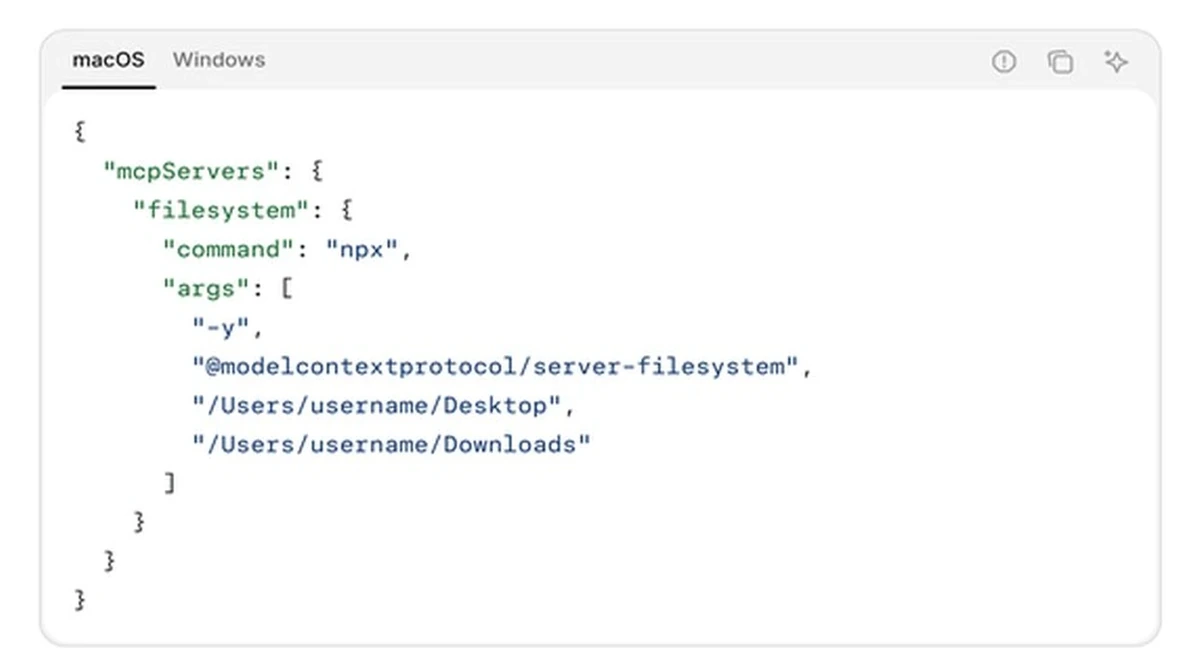
Claude Desktop uses %APPDATA%\Claude\claude_desktop_config.json on Windows and ~/Library/Application Support/Claude/claude_desktop_config.json on macOS. Open the local-server configuration from the app settings rather than creating a similarly named file in an unrelated folder. This guide does not assume an official Linux Desktop layout or a third-party wrapper.
Windows: launch the .cmd wrapper through a shell
Node.js documents that Windows .bat and .cmd scripts are not standalone executables. Its child-process documentation lists a shell or an explicitly spawned cmd.exe as execution routes. Merely replacing npx with the absolute path to npx.cmd does not universally solve a shell-free host launch. The template below uses cmd /c; if lookup still fails, check the actual Node installation and GUI-process environment.
Windows configuration template — replace YOUR_USERNAME and allowed folders
{
  "mcpServers": {
    "filesystem": {
      "command": "cmd",
      "args": [
        "/c",
        "npx",
        "-y",
        "@modelcontextprotocol/server-filesystem",
        "C:\\Users\\YOUR_USERNAME\\Desktop",
        "C:\\Users\\YOUR_USERNAME\\Downloads"
      ]
    }
  }
}
Replace both directory placeholders before use and keep only folders you intend the filesystem server to access. From a normal terminal, where.exe npx or Get-Command npx.cmd helps locate the installed wrapper. If you use an absolute path, it still needs a compatible launch method, such as cmd /c with correct quoting, or node.exe plus the actual JavaScript entry point. Restart the app after changing its environment or configuration.
macOS and Python: use paths from your own installation
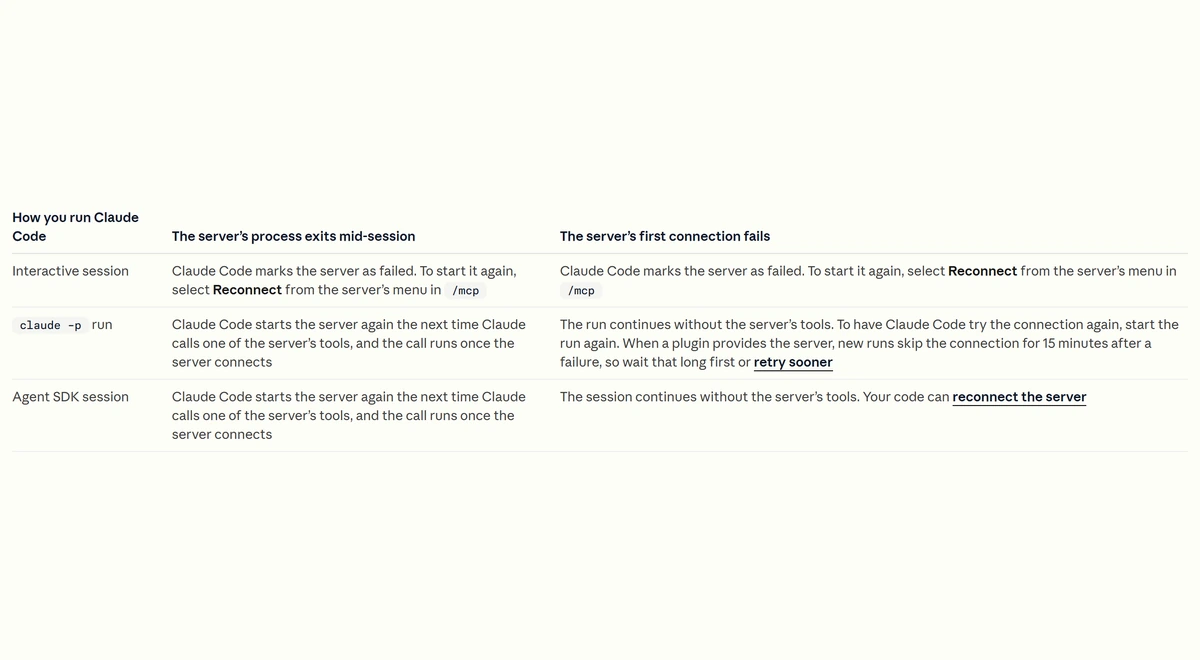
A macOS GUI app may not inherit shell initialization such as an NVM path. Run which npx in your terminal and use the path for your installation. /opt/homebrew/bin/npx is an Apple Silicon Homebrew example, not the path for every NVM, Intel Mac or custom installation. For a terminal-hosted integration, the Claude Code MCP documentation describes registration and scope separately.
| Observation | Check | Next step |
|---|---|---|
| spawn npx ENOENT | Executable lookup and the GUI PATH | Use cmd /c on Windows; verify real runtime paths |
| spawn uvx ENOENT | Where uv/uvx is installed | Use the real uvx executable path for your OS |
| Process starts then exits | Package arguments and allowed/repository directories | Replace placeholders; read the process stderr log |
| Malformed stdio / unexpected text | Whether server logs are written to stdout | Keep protocol messages on stdout and diagnostic logs on stderr |
The uv tools documentation explains how uvx runs a Python CLI package in an isolated environment. It does not remove the need for a valid executable path, repository path or supported package arguments. The generator provides an editable macOS uvx example; a Windows installation needs its own uvx.exe path.
The npx -y option suppresses its package-install confirmation prompt; it does not sanitize arbitrary banners printed by the server. Configure the server to keep diagnostics on stderr and protocol output on stdout. Validate JSON syntax, launch the process using the same host configuration, and inspect an actual tool response before describing an integration as working.
Rate tables are a November 9, 2026 documentation snapshot with announced schedule changes shown where available. Calculators use stated assumptions and are estimates, not invoices or measured hardware benchmarks. Check actual usage categories, account terms, cache behaviour, runtime allocations and cloud endpoint rates for a production decision.
Primary Sources & Official Vendor Documentation
- Model Context Protocol Docs · Connect to Local MCP Servers (Claude Desktop Configuration)
- Node.js Official Documentation · child_process.spawn() on Windows (.cmd & .bat Execution)
- Claude Code Docs · Connect Claude Code to Tools via MCP (claude mcp add)
- Astral uv Documentation · Running & Managing Python CLI Tools with uvx